

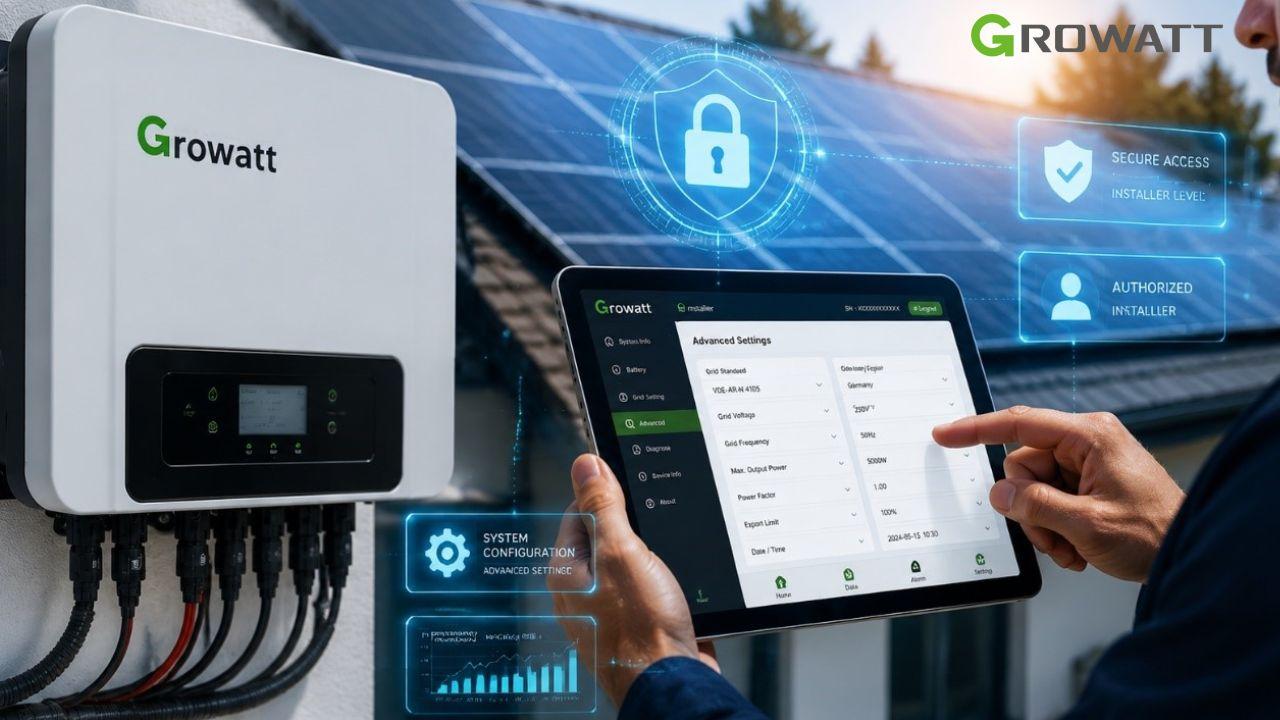
If you have recently purchased a Growatt inverter or are a professional installer looking to partner with the brand, one of the first questions you will face is How to Get Growatt Installer Code or what is Growatt installer code. This code is essential for registering your device on the ShinePhone app and accessing monitoring features.
This guide provides a step-by-step explanation on how to get this code for two user groups: Professional Installers and End-Users (homeowners).
Quick answer :
- Homeowners should contact their installer, distributor, or Growatt support.
- Professional installers must register through Growatt OSS.
- For some NEO/NOAH devices, Growatt documentation mentions the code “GWATT”.
- Installer codes vary by region and device type.
What is a Growatt Installer Code?
A Growatt Installer Code is a unique authorization code that allows installers to register solar systems, configure inverter settings, and manage monitoring platforms such as ShinePhone and OSS.
For Professional Installers: How to Register for an Installer Account
If you are a professional installer and want to obtain your own unique code, you must register on the Growatt OSS (Online Smart Service) system . This code gives you access to a specialized portal for managing projects, warranty claims, and accessing installer tools .
Step 1: Go to the Growatt OSS Portal
Open your browser and go to the Growatt OSS system. The link can vary by region. For example, for Australia and New Zealand, you would use: https://oss-au.growatt.com .
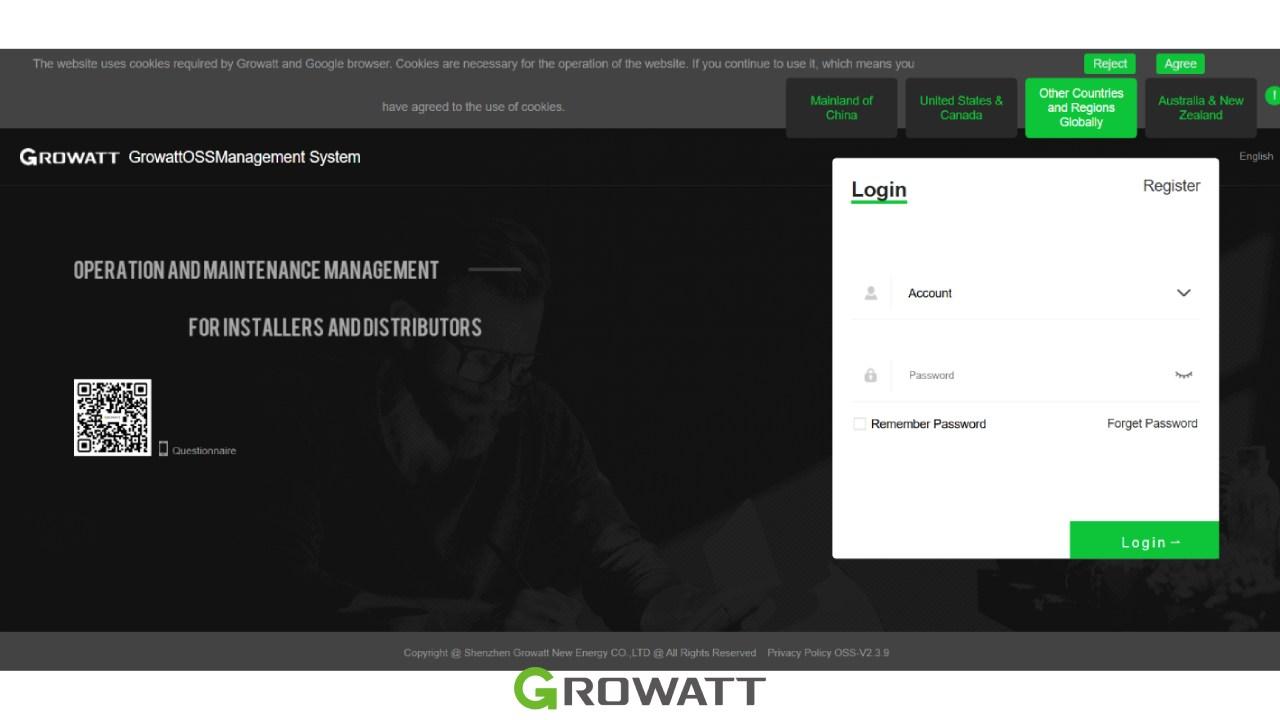
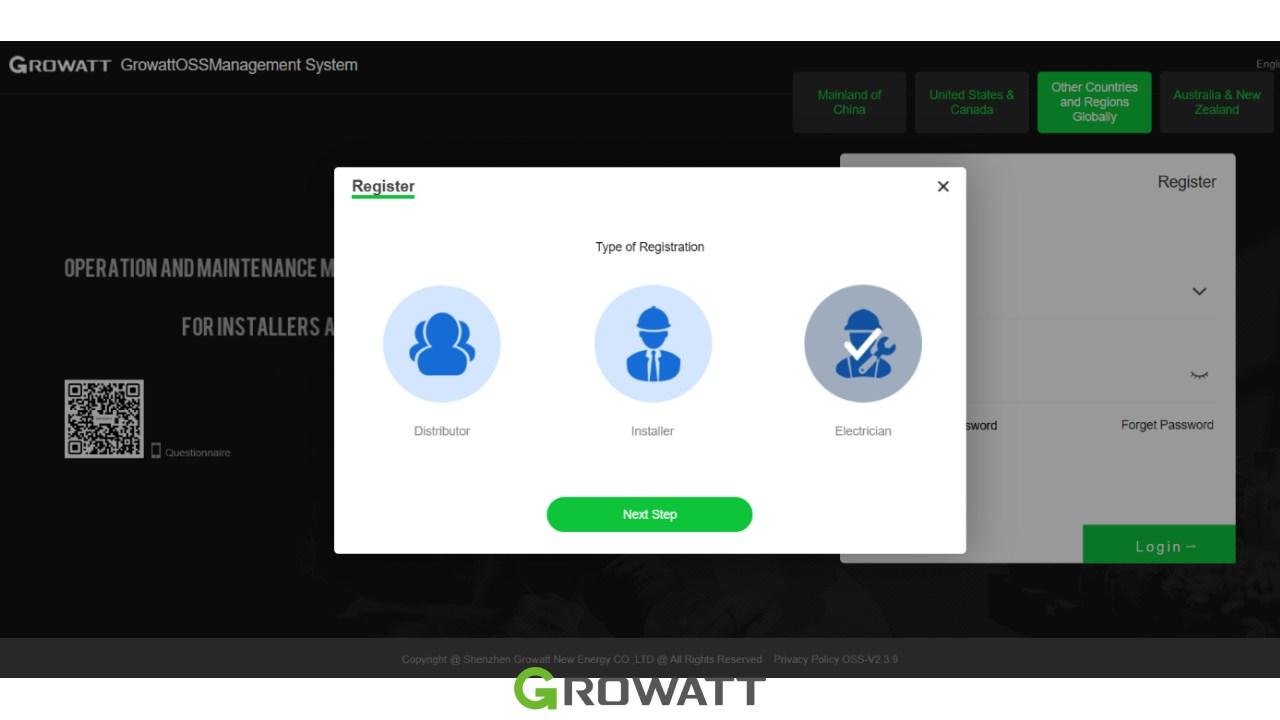
Step 2: Click “Register” and Choose Your Role
On the login page, click the Register button. You will be asked to select your account type. Choose Installer. You will also need to agree to the terms and conditions before clicking “Next Step” .
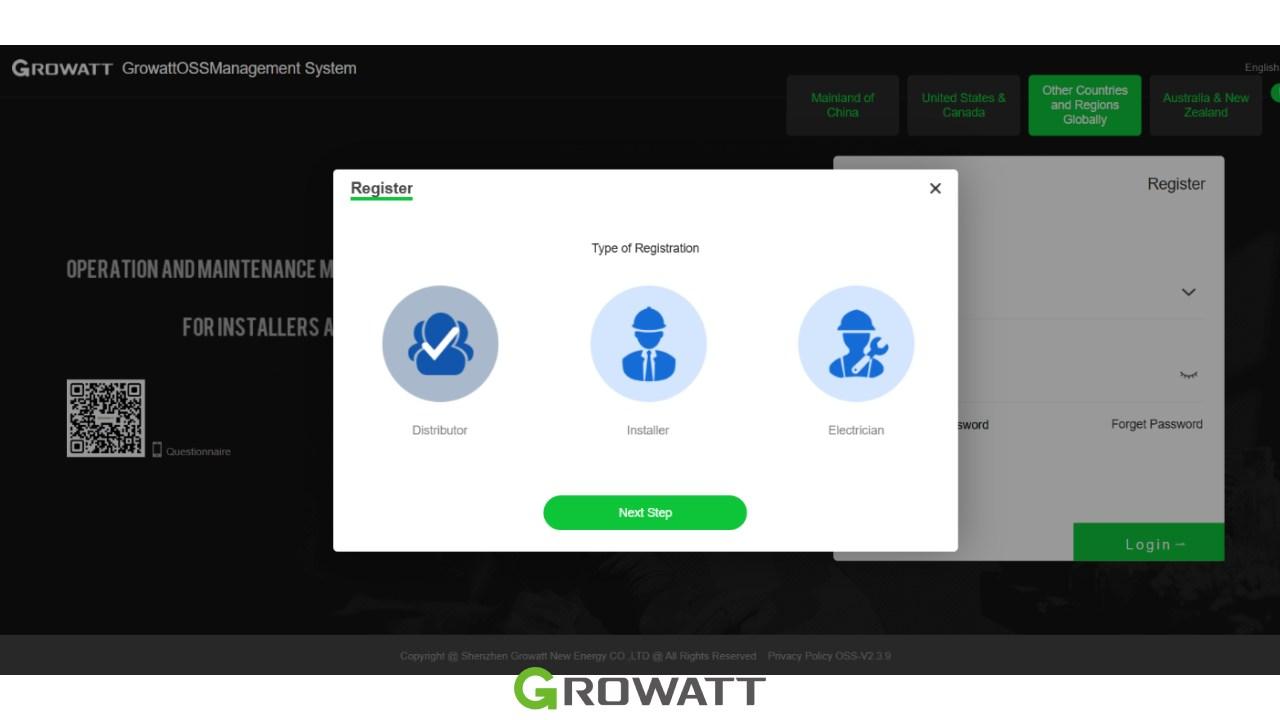
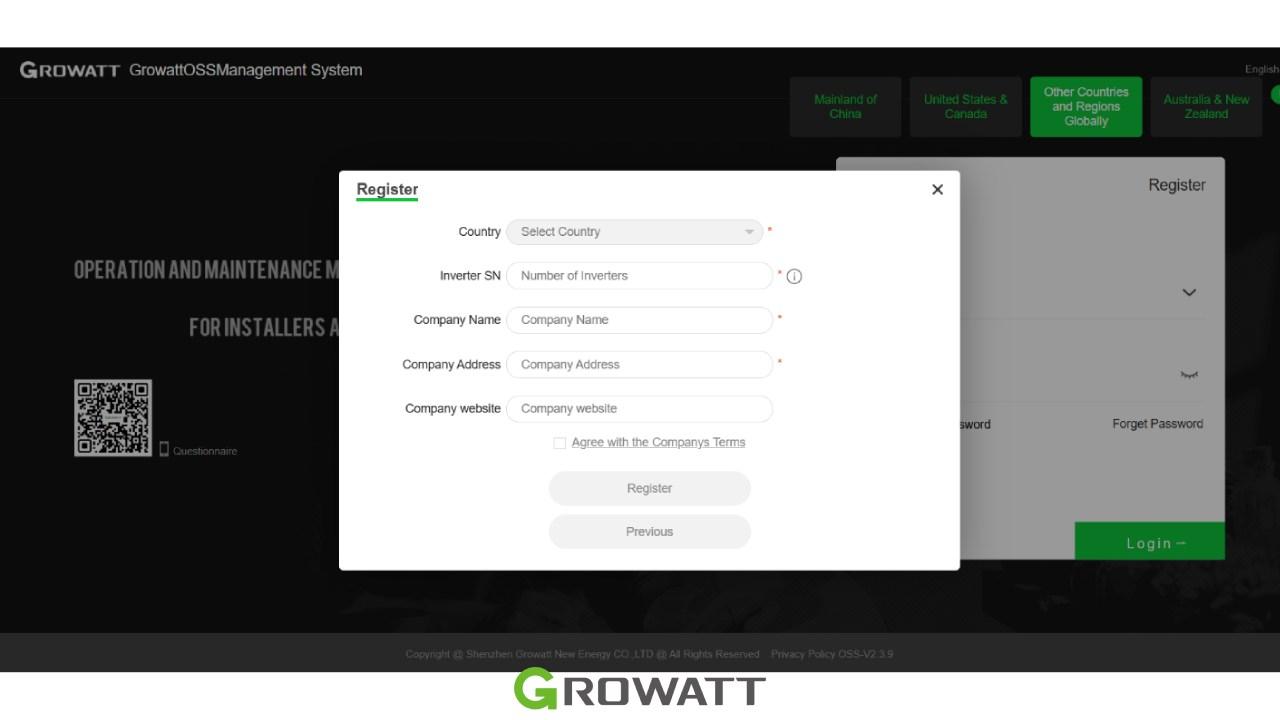
Step 3: Fill in the Basic Information
You will be presented with a form requiring specific information. The following fields are required and marked with a red asterisk :
Country: Select your country.
Inverter SN: Enter the serial number of at least one Growatt inverter you have installed. This is a key requirement to verify you are an active installer .
Company Name: Enter your official company name.
Company Address: Enter your official company address.
For installers :
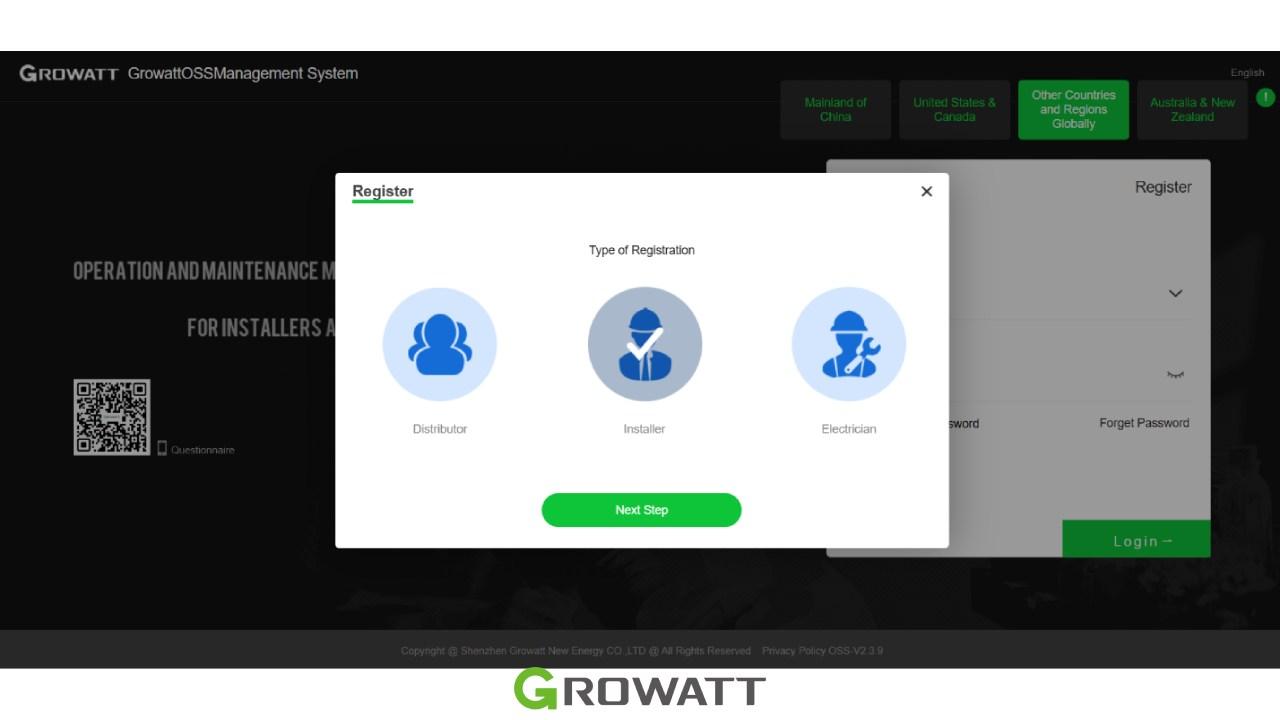
For electricians :
Step 4: Complete the Full Registration Form
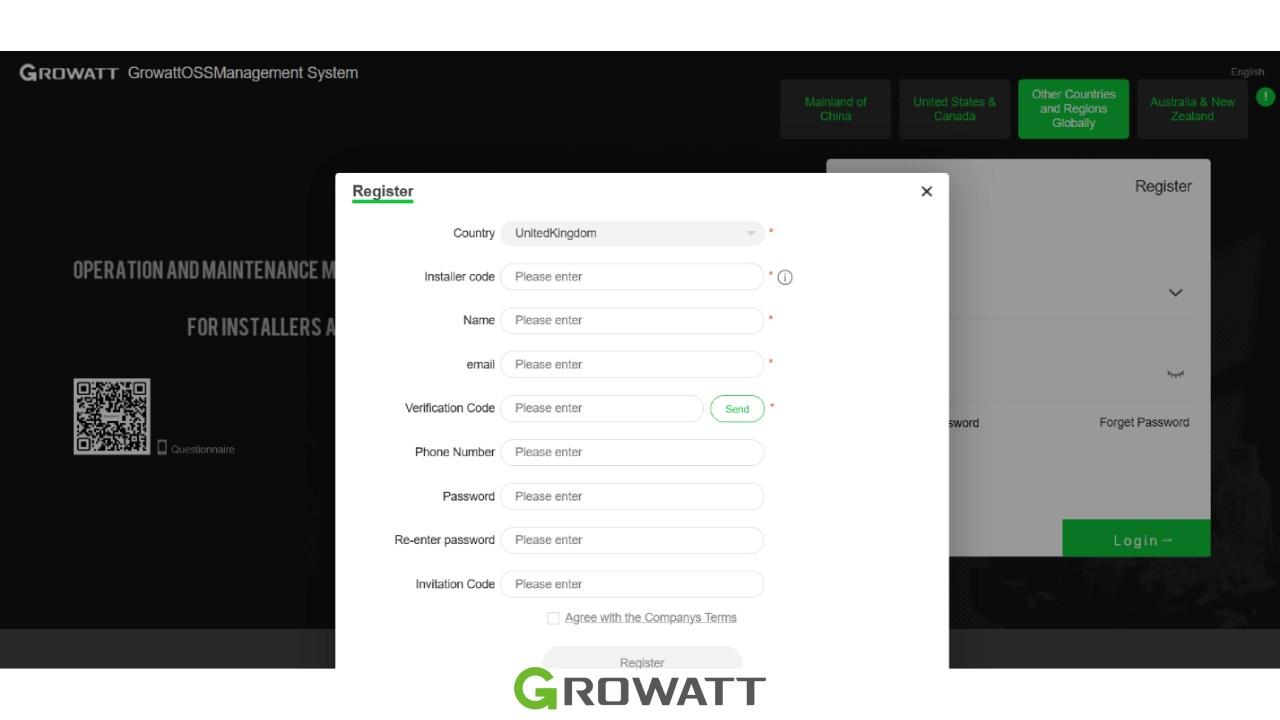
After providing the basic details, the system will direct you to a more comprehensive registration page. Here, you will need to fill in all fields marked with a red asterisk . This typically includes:
- Creating a Username and Password.
- Adding Contact Person name and Email address.
- Providing a Phone Number and your Position within the company .
Step 5: Receive and Save Your Installer Code
Once you submit the registration and it is approved, you will receive your unique installer code. It is recommended to take a screenshot or save this information .
Installer Code: A five-letter code . This is the code you will give to end-users.
Your Login Username: This is a combination of your five-letter installer code and three digits. For example, if your code is “ABC12,” your login might be “ABC12001” .
Why Installer Codes Are Restricted
Solar inverters interact directly with the electrical grid. Unauthorized modifications can:
- Reduce energy production
- Cause grid compliance issues
- Affect warranty coverage
- Create safety risks
- Lead to inverter faults
This is why Growatt controls installer-level permissions and recommends obtaining access only through authorized channels.
Growatt installer code summary
| User Type | How to Get Installer Code |
|---|---|
| Homeowner | Contact installer, seller, or Growatt support |
| Professional Installer | Register through Growatt OSS |
| NEO/NOAH Users | Use GWATT if specified in official documentation |
By following the steps, you can easily obtain the required Installer Code, set up your Growatt solar system, and ensure proper compatibility with your Growatt lithium battery for reliable energy storage performance.
Common Growatt Installer Code Problems & Fixes
If you’re wondering how to get Growatt Installer Code access for system registration and monitoring, the process depends on whether you’re a homeowner or a professional installer. the following solutions may help:
Installer Code Not Accepted
Double-check that the installer code has been entered correctly. Installer codes are case-sensitive and may vary depending on the device model and region. If the issue persists, contact your installer or Growatt support for verification.
Unable to Register in ShinePhone
Make sure the inverter serial number (SN) is entered correctly and that the device has been added to the correct ShinePhone account. An incorrect serial number is one of the most common causes of registration errors.
OSS Account Approval Pending
Professional installer accounts require approval from Growatt. If your registration remains pending for several days, contact your local Growatt representative or distributor for an update on the approval process.
Lost Installer Code
If you have forgotten or lost your installer code, check any registration emails received from Growatt. You can also contact Growatt support or your regional distributor to recover your account information.
Invalid Serial Number Error
Ensure that the serial number is taken directly from the inverter label and entered exactly as shown. Incorrect or incomplete serial numbers may prevent installer account registration or device activation.
Conclusion
Understanding installer access requirements for Growatt inverters helps users configure their systems safely while maintaining warranty coverage. The installer code grants access to critical inverter settings and should only be obtained through authorized channels such as Growatt support, certified distributors, or professional installers. Understanding how to get Growatt Installer Code credentials can help you complete inverter setup, access monitoring features, and manage your Growatt solar system more efficiently.
By following this Growatt installer code guide, users can safely manage their systems while maintaining compliance, performance, and warranty protection.
Frequently Asked Questions (FAQ)
It provides access to advanced inverter settings, commissioning tools, and system configuration options.
Yes, in some cases, after ownership verification and approval from Growatt or an authorized installer.
No. Access procedures may vary by model, firmware version, and region.
Incorrect settings can affect performance, compliance, and warranty status, so changes should be made carefully.
Follow the official installer registration process through Growatt's monitoring and support platforms. 1. What is the Growatt installer code used for?
2. Can homeowners obtain a Growatt installer access code?
3. Is there a universal Growatt installer code list?
4. Can changing installer settings damage my system?
5. How do I create a Growatt installer account?




One thought on “Growatt Installer Code: How to Get It (Full Guide + Default Codes)”
I need to install the Shine Phone App to control the all solar installation with battery already on work
I have a pen and I have changed the internet supplier, but your reactivation app for the pen isn’t work, I cannot connect the Shine App to my android phone in a way that I be able to control the all system working day and night.
I have contacted your representation here in Portugal, engineer João Santos from Econature, company that have provided the all system, but he refuses to do the following up, even being all my all system on the guaranty timing, he insist that I have to pay for any trip into the place plus a service rate. So what kind of guarantee is that ?
Can you please send to me the full details to start the pen App. The pen is oval and has a QR code with a little light above that changes from multicolored to blue and red, but we can’t connect. Please help me, thanks.